Can't post pictures

SultrySydney

New Member
For the past few days I haven't been able to post pictures, publicly or privately.

I've tried clearing history and cache and cookies, different browsers, updating browsers, and posting from a guest account. Nothing has worked.
 
What would especially help is if you said what happens when you try, what steps you're trying to use to post them, and how big the pictures are in dimension and file size.
 
What would especially help is if you said what happens when you try, what steps you're trying to use to post them, and how big the pictures are in dimension and file size.
Nothing happens. Like I dont get an error message or anything. I post the picture and it doesn't come up, that's all. I've tried a variety of pictures with different files sizes and dimensions and get the same result. Also these pictures worked just a few days ago.
 
This has been an ongoing issue for weeks and there have been multiple posts and threads about it. Specifically both adult rooms.

I have posted pics and gifs for years without issue. About 2 weeks ago there was a period of 24 hours pics stopped posting for me, then they came back. It has now been 5 days and unable to post pics or gifs.

I was posting pics fine one day and then, in the same session without logging out or being kicked or anything they just suddenly stopped posting. Have not been able to post all week. I have asked several room mods and no one seems to know but they have said I am not muted or have a hidden ban or something.

- I can post text publicly and privately just fine
- Pics or Gifs do not post at all publicly or privately
- I can post text but not image to my wall
- These are pics or gifs I have used many many times before
- I have tried smaller compression of the files, still does not work
- I have tried posting on guest account
- This happens in both adult rooms
- As the above poster has said, there is no error message. No red bar. The images simply do not load up into the page
- Have tried multiple browsers without success
- The files themselves are all files ive used before, of sizes that should be usable in this site and are of no greater size or dimension than pics and gifs other users are currently using just fine

All the standard troubleshooting steps have been addressed

There has to be some kind of malfunction between the user attempting to post and the server blocking the image or not transmitting the data up or something.
 
This has been an ongoing issue for weeks and there have been multiple posts and threads about it. Specifically both adult rooms.

I have posted pics and gifs for years without issue. About 2 weeks ago there was a period of 24 hours pics stopped posting for me, then they came back. It has now been 5 days and unable to post pics or gifs.

I was posting pics fine one day and then, in the same session without logging out or being kicked or anything they just suddenly stopped posting. Have not been able to post all week. I have asked several room mods and no one seems to know but they have said I am not muted or have a hidden ban or something.

- I can post text publicly and privately just fine
- Pics or Gifs do not post at all publicly or privately
- I can post text but not image to my wall
- These are pics or gifs I have used many many times before
- I have tried smaller compression of the files, still does not work
- I have tried posting on guest account
- This happens in both adult rooms
- As the above poster has said, there is no error message. No red bar. The images simply do not load up into the page
- Have tried multiple browsers without success
- The files themselves are all files ive used before, of sizes that should be usable in this site and are of no greater size or dimension than pics and gifs other users are currently using just fine

All the standard troubleshooting steps have been addressed

There has to be some kind of malfunction between the user attempting to post and the server blocking the image or not transmitting the data up or something.
This is word for word what is happening to me.
 
at first pass, i wasn't able to reproduce the issue you're having...so i'll see if i can come up with some tests for you to try and get results from to figure it out

Alright...let's start a simple one

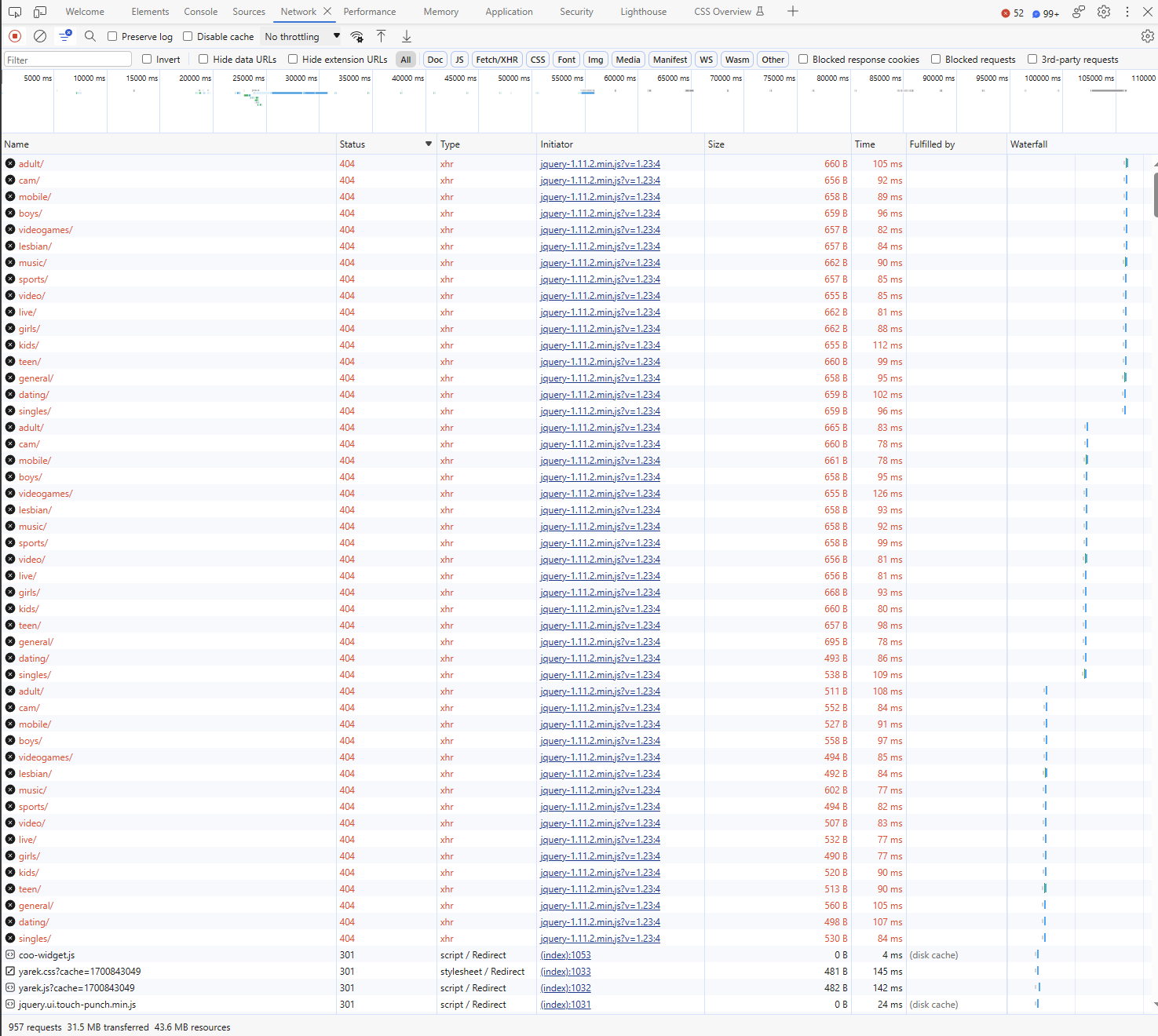
  1. go to adult.chat-avenue.com in an incognito browser session and let it fully load, without signing in.
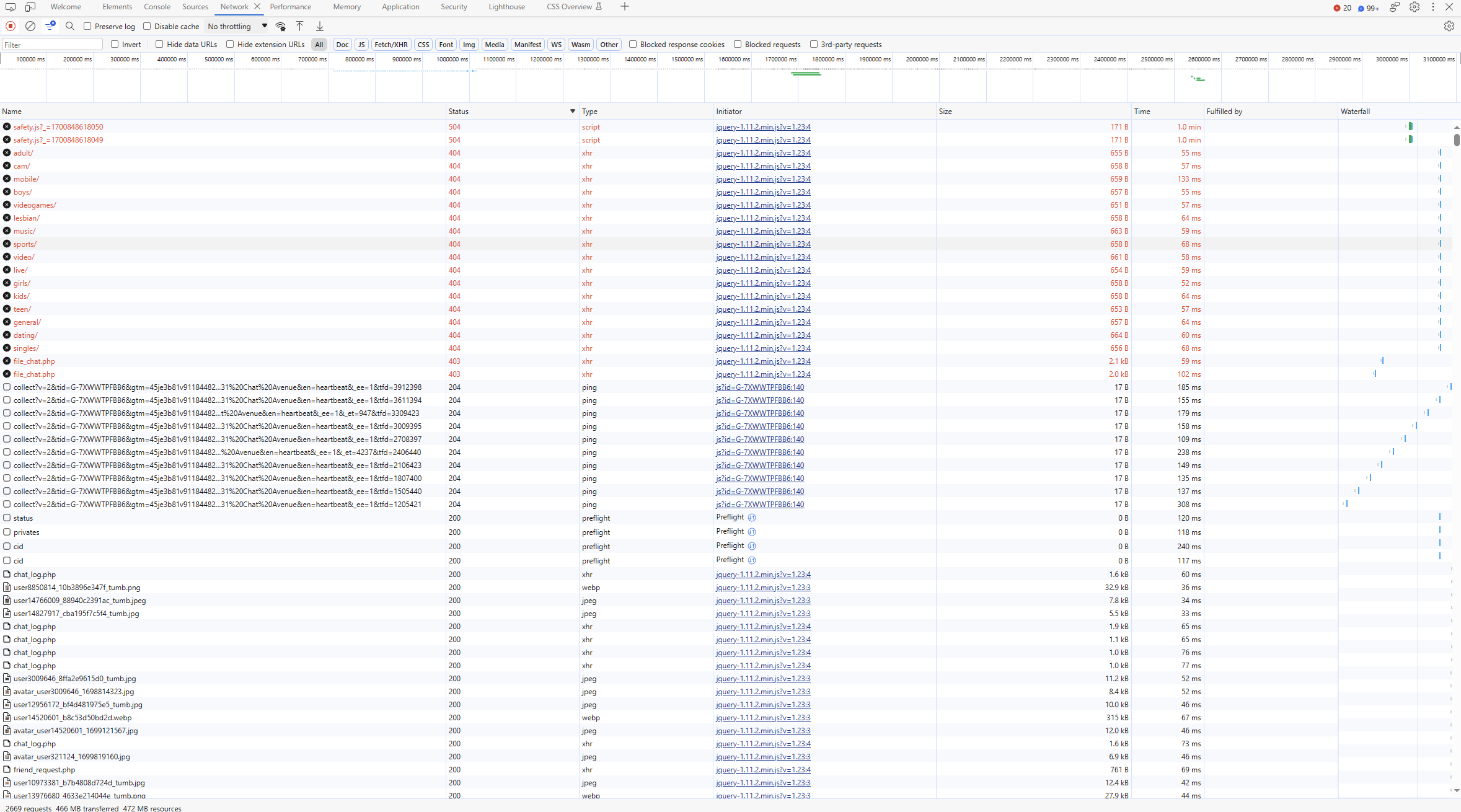
  2. go to the developer tools and go to the network tab. click on the top of the status column so that it's ordered in descending order.
  3. log in and make a note of anything that gives you a status of 400+. Take a screenshot if you can.
we'll start there.
 
Alright...let's start a simple one

  1. go to adult.chat-avenue.com in an incognito browser session and let it fully load, without signing in.
  2. go to the developer tools and go to the network tab. click on the top of the status column so that it's ordered in descending order.
  3. log in and make a note of anything that gives you a status of 400+. Take a screenshot if you can.
we'll start there.
Screenshot-591.png
 
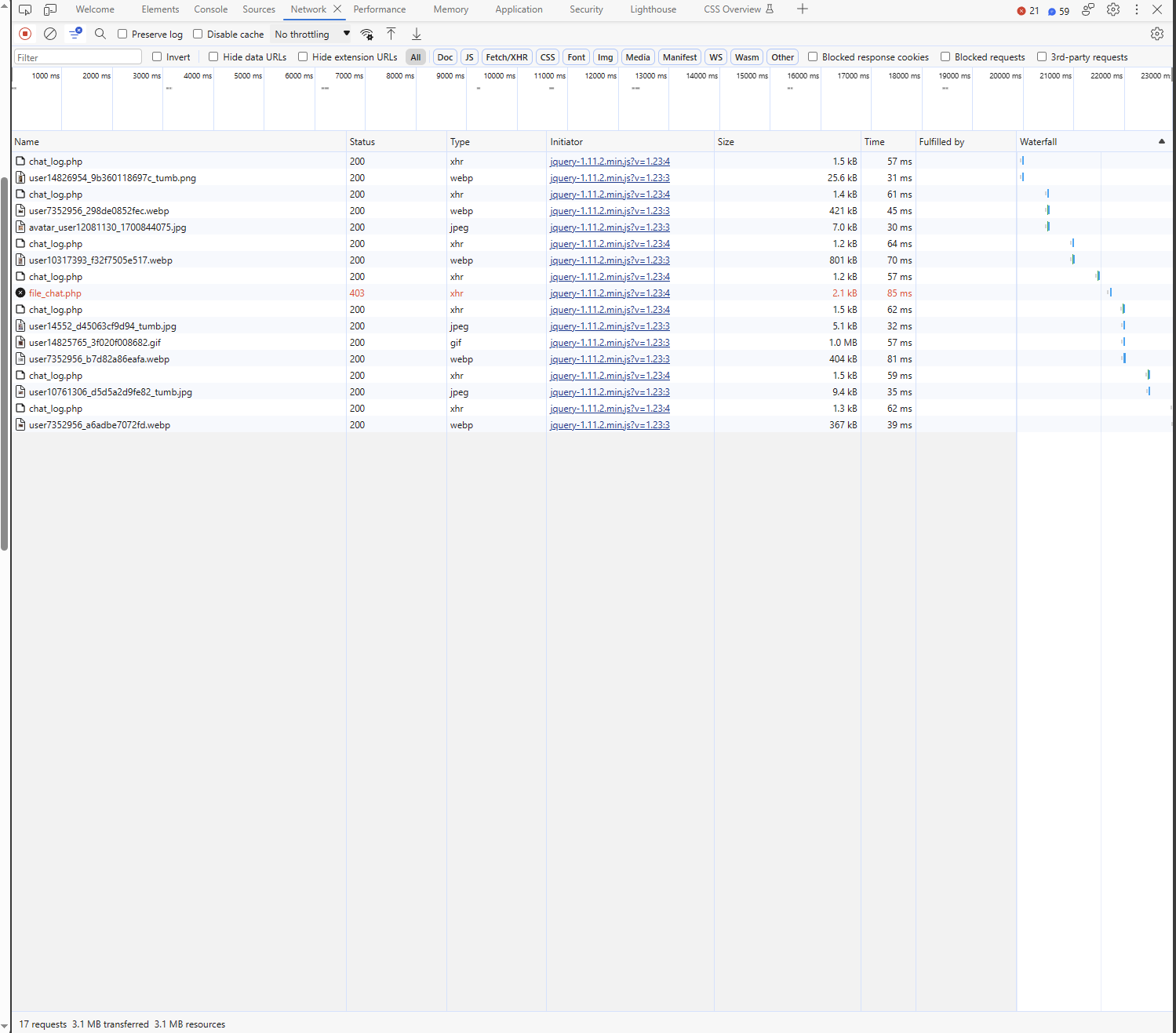
right there in the middle...a 403 for file_chat...I'm going out for lunch for a bit...but when I get back I'll go see...but that's probably why. I think from the profiling of the chat I was doing earlier this week that that's the file that handles file uploads...and the 403 would be an access denied. Have you tried in other chatrooms? if you stick around in chat for a while doing what you normally do and leave the developer tab open...can you keep track of what other files give you a 403?
 
No worries...i'm only curious cause it's weird that you're only blocked from one function...that we're aware of...so i'm wondering what other functions you're blocked from...since all the other files for the chat are in the same folder...so it's specific to that one file...curious if it also happens in the other chats...if it's a file based block or an ip based block on the file...or something similar...also curious if it's something that can be done in chat from the mod perspective or if it's serverside from a fuckup from CM/Admin...lots to ponder
 
looks like it's just the 403 for file_chat.php...alright...i'll go explore to see what that does...but i'm pretty sure that's the file upload function...does it happen in other chatrooms?

@Samwise or @Ness_eb do admins/mods have the ability to restrict a user from using the upload function?

Alright...so I tracked it down. I knew I'd seen it earlier this week.

This is the function in the chat that's being called in this js file https://www.chat-avenue.com/general/js/function_logged.js?v=1.67
JavaScript:
uploadChat = function(f) {
    var filez = (f.size / 1024 / 1024).toFixed(2);
    if (filez > fileMax) {
        callError(system.fileBig);
    } else {
        if (waitUpload == 0) {
            uploadStatus('chat_file', 2);
            waitUpload = 1;
            var form_data = new FormData();
            form_data.append("file", f)
            form_data.append("token", utk)
            mupload = $.ajax({
                url: "system/action/file_chat.php",
                dataType: 'json',
                cache: false,
                contentType: false,
                processData: false,
                data: form_data,
                type: 'post',
                beforeSend: function() {
                    startMainUp();
                },
                xhr: function() {
                    var xhr = new window.XMLHttpRequest();
                    xhr.upload.addEventListener("progress", function(evt) {
                        if (evt.lengthComputable) {
                            var percentComplete = evt.loaded / evt.total;
                            upMainStatus((Math.round(percentComplete * 100)));
                        }
                    }, false);
                    return xhr;
                },
                success: function(response) {
                    if (response.code == 1) {
                        callError(system.wrongFile);
                    } else if (response.code == 5) {
                        appendSelfChatMessage(response.logs);
                    } else {
                        callError(system.error);
                    }
                    resetMainUp();
                },
                error: function() {
                    resetMainUp();
                }
            })
        } else {
            return false;
        }
    }
}

It basically confirms the file size of what's being uploaded and then submits it as a file upload. The serverside file that you're getting the 403 error from is this one https://www.chat-avenue.com/general/system/action/file_chat.php so it'd be interesting to see if you get an error when you go there directly.

I should note that when you go to file_chat.php that it should just load a white page normally...because it doesn't display anything...just processes upload requests...no output
 
I should note that when you go to file_chat.php that it should just load a white page normally...because it doesn't display anything...just processes upload requests...no output
Just went to the file_chat link and it is indeed blank

Also yes, I went to a different chat site and pictures work fine there.
 
🤔Thats weird. It gives you a 403 when in chat but not directly? You're having these problems in general chat, right? Can you try to send a pic again while you have dev tools open? Curious if it'll give you a 403 again.
 
I can report exactly all the same things Sultry is responding to. Dev tools also show it comes up as a 403 status whenever trying to upload any type of image, gif, jpg etc. Exact same file outputs etc. Receiving the same result with the file_chat php as well

Can also confirm i have uploaded these same images to anywhere else - other image posting sites, other non-chat avenue chatrooms etc. It all works fine.

Hoping i didnt break any rules but I also created another new account just to see if it was like an account mute or something...and the new account cant post pics either. And again, have also continued trying other browsers etc. Btw i did this new account from a completely different device even.

Doesnt really make any sense
 
In sultrys case it ended up being a VPN. Might be good to check if you have something like that enabled.
I was about to report on this because I havent used a vpn in a long time and so I didnt think of anything I could do to troubleshoot. Saw this and opened up nord just to find out it was running in background
 
Top